🐦⬛ Crow: a card scanner that knows what your binder is worth
Crow scans a card on your phone, prices it and files it in a binder, then keeps the whole collection in sync across iPhone, iPad, Android and a desktop dashboard. It runs on its own crawled catalog and works offline first.
By Dennis Bruijn · · 12 min read · #projects #cross-platform #swift #kotlin #supabase
Crows have a reputation for hoarding shiny things, and Crow's own site leans right into it: collect your shiny things. The idea is simple. You point the camera at a card, Crow tells you what it is and what it's worth, and the card ends up in a binder you can browse on your phone, your tablet or a big screen. It covers five games: Magic, Pokémon, Lorcana, One Piece and Yu-Gi-Oh!.
The simple version grew into a monorepo with a SwiftUI app, a Kotlin port, a React dashboard, a Supabase back-end, a Python crawler and two Rust crates. This post walks through it: what Crow does, how the pieces fit, and what isn't there yet.
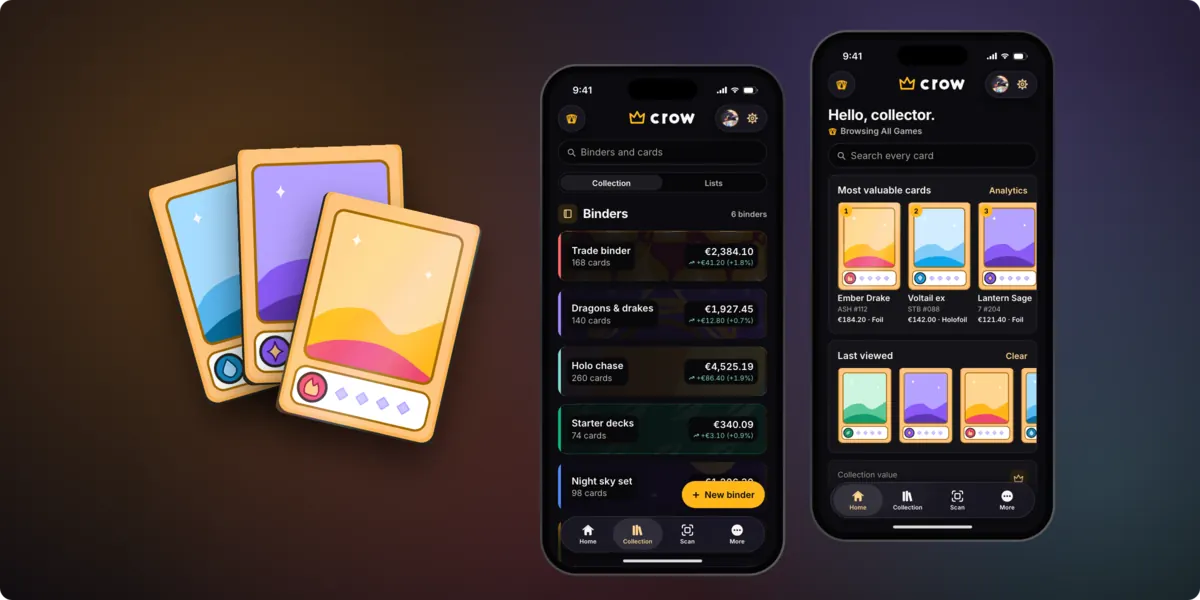
The hero is composed in Montage from Crow's own card illustrations.
If you'd rather watch than read, here's the 33.5-second explainer:
Made with Montage. All data in it is synthetic, and the card art is Crow's own illustration set.

Meet Crowie, the crowned mascot. You'll see the crown again.
A scanner that agrees with the crawler, bit for bit
The camera scanner is the front door, and recognition runs on the device. The card fingerprint the phone computes is bit-identical to the one the crawler computes when it builds the catalog. The shared piece is a Rust image core, crates/crow-image-core. What the phone sees and what the catalog stored are computed the same way, down to the bit.
A scan session goes like this:
- Point the camera at a card. Crow names the printing, shows its price and adds it to the session.
- Keep going. The rail counts the cards and the session total adds up their value.
- Tap Add to and the confirmed cards go into a binder, a list or a deck in one step.
Each card also plays a sound. You pick one per value range: under 1, 1 to 9.99, 10 to 19.99, 20 to 99.99, 100 and up, plus one for a card that has no price yet. Your ears know whether that card was worth the scan before you've looked at the screen.
Left: the scan streak, rebuilt from the SwiftUI scanner in Montage with synthetic cards. Right: a real capture of a scan session on the iPhone.
Here's a toy version of that loop to play with. It's a few lines of HTML and not Crow's code: the value ranges come from the README, the beeps stand in for Crow's caw sound pack, and the prices are made up (the first three match the synthetic cards in the GIF above). Click Scan next card a few times and edit the numbers if you like.
<style>
  :root { --crown: #FFB71A; --bg: #0B0A11; --card: #151519; --line: #2C2C33; --text: #F8F7F4; --muted: #9a99a6; }
  * { box-sizing: border-box; }
  body { margin: 0; background: var(--bg); color: var(--text); font: 14px/1.4 system-ui, sans-serif; padding: 16px; }
  .wrap { display: grid; gap: 12px; max-width: 420px; margin: auto; }
  .viewfinder { position: relative; height: 160px; border: 1px solid var(--line); border-radius: 14px; display: grid; place-items: center; overflow: hidden; }
  .reticle { width: 84px; height: 116px; border: 2px dashed var(--muted); border-radius: 8px; transition: border-color .2s, box-shadow .2s, transform .2s; }
  .reticle.lock { border: 2px solid var(--crown); box-shadow: 0 0 24px rgb(255 183 26 / .45); transform: scale(1.04); }
  .price { position: absolute; bottom: 10px; font: 600 22px ui-monospace, monospace; }
  .tier { position: absolute; top: 10px; right: 10px; font-size: 12px; padding: 2px 8px; border-radius: 99px; background: var(--card); border: 1px solid var(--line); }
  .row { display: flex; gap: 8px; }
  button { flex: 1; background: var(--crown); color: #0F0E16; border: 0; border-radius: 10px; padding: 10px; font-weight: 600; cursor: pointer; }
  button.ghost { background: transparent; color: var(--text); border: 1px solid var(--line); }
  .rail { display: flex; gap: 6px; min-height: 30px; flex-wrap: wrap; }
  .chip { background: var(--card); border: 1px solid var(--line); border-radius: 8px; padding: 4px 8px; font: 12px ui-monospace, monospace; animation: drop .3s ease-out; }
  @keyframes drop { from { transform: translateY(-12px); opacity: 0; } }
  .total { display: flex; justify-content: space-between; color: var(--muted); }
  .total b { color: var(--text); }
  @media (prefers-reduced-motion: reduce) { * { animation: none !important; transition: none !important; } }
</style>
<div class="wrap">
  <div class="viewfinder">
    <div class="reticle" id="reticle"></div>
    <span class="tier" id="tier">ready</span>
    <span class="price" id="price">€0.00</span>
  </div>
  <div class="row"><button id="scan">Scan next card</button><button class="ghost" id="clear">Clear</button></div>
  <div class="rail" id="rail"></div>
  <div class="total"><span id="count">0 cards</span><span>Session total <b id="sum">€0.00</b></span></div>
</div>
<script>
  // Made-up prices; null is a card with no price yet.
  const deck = [0.60, 7.40, 48.20, 12.50, 134.00, null, 3.10];
  // The five value ranges from Crow's README, each with its own (stand-in) beep.
  const tiers = [[1, 'under 1', 220], [10, '1 to 9.99', 330], [20, '10 to 19.99', 440], [100, '20 to 99.99', 550], [Infinity, '100 and up', 880]];
  const $ = (id) => document.getElementById(id);
  const fmt = (v) => '€' + v.toFixed(2);
  let next = 0, sum = 0, count = 0, audio;

  function tierOf(value) {
    if (value === null) return ['no price yet', 160];
    const [, label, freq] = tiers.find(([max]) => value < max);
    return [label, freq];
  }

  function beep(freq) {
    try {
      audio = audio || new AudioContext();
      const osc = audio.createOscillator(), gain = audio.createGain();
      osc.frequency.value = freq;
      gain.gain.setValueAtTime(0.08, audio.currentTime);
      gain.gain.exponentialRampToValueAtTime(0.0001, audio.currentTime + 0.25);
      osc.connect(gain).connect(audio.destination);
      osc.start();
      osc.stop(audio.currentTime + 0.25);
    } catch (e) { /* no sound, no problem */ }
  }

  $('scan').onclick = () => {
    const value = deck[next++ % deck.length];
    const [label, freq] = tierOf(value);
    $('reticle').classList.add('lock');
    $('tier').textContent = label;
    beep(freq);
    const start = performance.now();
    (function countUp(now) {
      const k = Math.min(1, (now - start) / 600);
      $('price').textContent = value === null ? '—' : fmt(value * k);
      if (k < 1) return requestAnimationFrame(countUp);
      count += 1;
      sum += value ?? 0;
      const chip = document.createElement('span');
      chip.className = 'chip';
      chip.textContent = value === null ? 'no price' : fmt(value);
      $('rail').prepend(chip);
      $('count').textContent = count + (count === 1 ? ' card' : ' cards');
      $('sum').textContent = fmt(sum);
      setTimeout(() => $('reticle').classList.remove('lock'), 250);
    })(start);
  };

  $('clear').onclick = () => {
    next = 0; sum = 0; count = 0;
    $('rail').innerHTML = '';
    $('count').textContent = '0 cards';
    $('sum').textContent = '€0.00';
    $('price').textContent = '€0.00';
    $('tier').textContent = 'ready';
  };
</script>
Two practical notes from the README. Camera frames never leave the phone: the scanner recognizes cards locally and never stores or sends a frame. And scanning needs a real camera, so the simulators and the dashboard can't scan. The dashboard reviews scan sessions instead, and an Android phone without a camera can still scan photos.
Offline first, with a database per game in your pocket
Card shops, conventions and kitchen tables don't always have good Wi-Fi, so search and scanning don't need it. Each game comes as a snapshot database (GRDB on top of SQLite FTS5), and search runs against that local copy. You pick the games you collect in Settings › Offline catalog, and from then on search and scanning work without a connection.
Writes are handled with the same care. The phones change the collection only through queued mutations, which sync with Supabase when there's a connection, conflicts included. Row-level security in Postgres keeps each account's rows to itself.
The README draws the whole flow as one diagram, redrawn here in plain text:
Free card sources (data, prices, images)
        │
        ▼
Crawler (Python + Scrapy)
        │
        ▼
Supabase (Postgres 17 + Storage) ◄────► Dashboard (React 19) ──► Marketplace adapters (simulated)
        │             ▲
        ▼             │ queued sync
Per-game snapshots    │
(SQLite FTS5)         │
        │             │
        ▼             │
iPhone · iPad · Android (offline first)
Its own catalog, crawled politely
Crow doesn't borrow someone else's catalog. Card data, prices and images are crawled politely from free sources into Crow's own Supabase. A Scrapy spider fetches a source, a normalizer validates the items, the images are mirrored into the card-images storage bucket and the rows are upserted with deterministic ids, followed by prices and a daily snapshot. Primary sources own a game, and enrichment sources only add to it. When that's done, the crawler publishes the per-game snapshot the phones fetch.
The five games come from a single list that every app, the back-end, the crawler and crow-cli build on. Adding a game means adding it to that list, without touching the core collection code. This is the supported part of packages/types/src/games.json:
"supported": [
  { "id": "mtg", "name": "Magic: The Gathering" },
  { "id": "pokemon", "name": "Pokémon" },
  { "id": "lorcana", "name": "Disney Lorcana" },
  { "id": "onepiece", "name": "One Piece Card Game" },
  { "id": "yugioh", "name": "Yu-Gi-Oh!" }
]
Binders, prices and a screen that changes color
Once the cards are in, the fun starts. You keep them in binders and lists, see what each binder is worth, and track how complete every set is in Collector mode. Home shows your most valuable cards and what you looked at last.
Prices come from one resolver that prices every copy and printing in your account's currency, on every platform. That gives you value over time, value by set and a shelf of your most valuable cards.
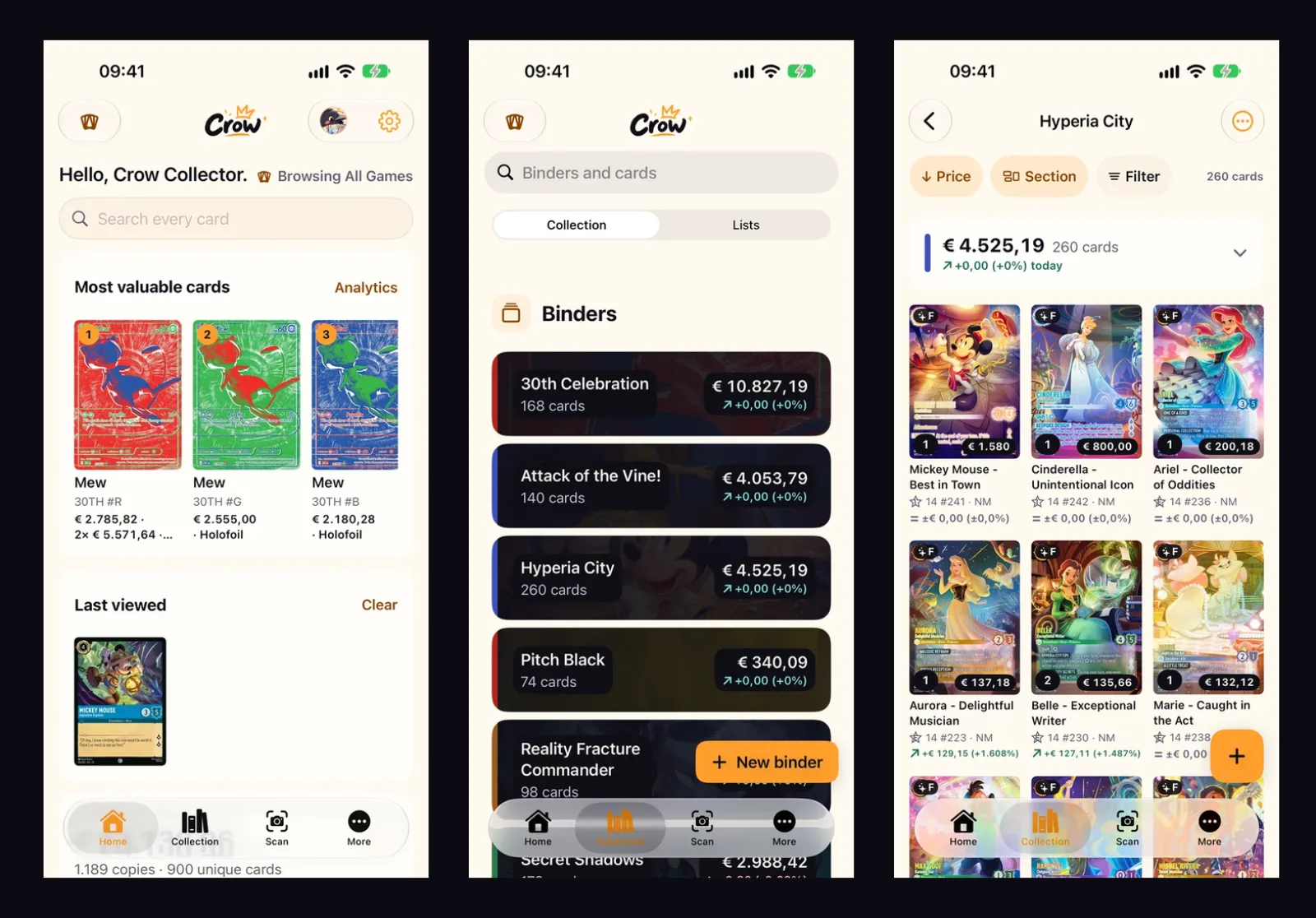
Home, Collection and a binder on the iPhone. Real captures of the app, signed in as a showcase account.
Match game
This is my favorite small detail. With the default accent, Crow takes the color of the game you're browsing. The game switcher at the top of the screen changes the game, and its accent spreads out of the switcher button and recolors the whole screen. If you'd rather keep one color, there are five fixed accents: gold, coral, lavender, mint and blue.
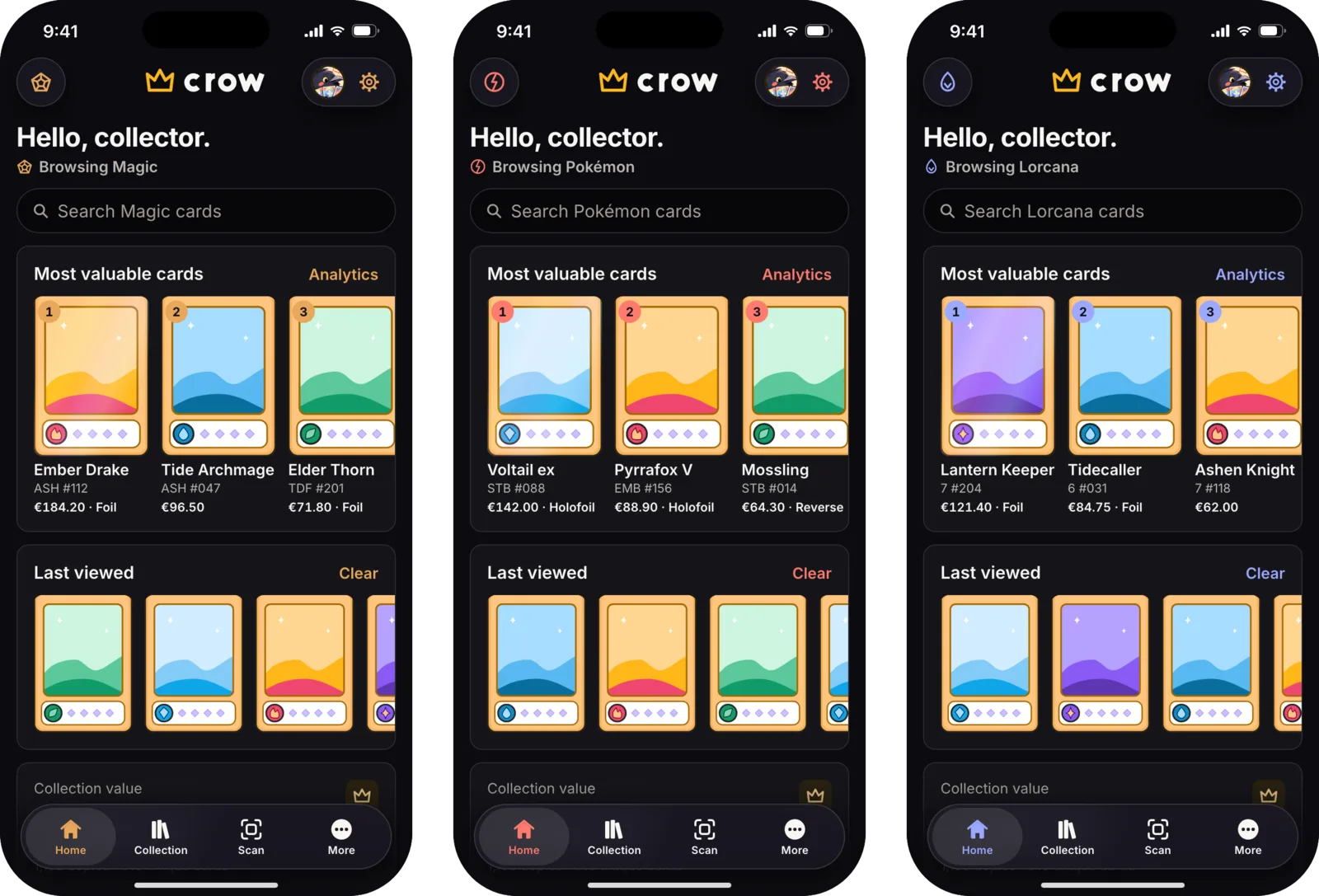
The game switcher recoloring Home, rebuilt from the SwiftUI source in Montage with synthetic cards.
Below is a toy version that uses Crow's real dark-mode accent tokens, with the crown gold for All Games. Pick a game and watch the color spread out of the switcher:
<style>
  body { margin: 0; background: #0B0A11; color: #F8F7F4; font: 14px/1.4 system-ui, sans-serif; padding: 16px; }
  .phone { --a: #FFB71A; position: relative; max-width: 300px; margin: 0 auto 14px; border: 1px solid #2C2C33; border-radius: 28px; padding: 18px; overflow: hidden; }
  .washes { position: absolute; inset: 0; z-index: 0; }
  .wash { position: absolute; inset: 0; background: color-mix(in oklab, var(--c) 18%, #0B0A11); clip-path: circle(0 at var(--x) var(--y)); transition: clip-path .6s ease-out; }
  .wash.on { clip-path: circle(150% at var(--x) var(--y)); }
  .content { position: relative; z-index: 1; display: grid; gap: 12px; }
  .top { display: flex; justify-content: space-between; align-items: center; }
  .logo { font-weight: 800; color: var(--a); transition: color .4s; }
  #switcher { background: var(--a); color: #0F0E16; border: 0; border-radius: 99px; padding: 4px 12px; font-weight: 600; transition: background .4s; }
  h4 { margin: 0; color: var(--a); transition: color .4s; }
  .cards { display: grid; grid-template-columns: repeat(3, 1fr); gap: 8px; }
  .cards span { aspect-ratio: 5 / 7; border-radius: 6px; border: 2px solid var(--a); background: #151519; transition: border-color .4s; }
  .bar { height: 8px; border-radius: 99px; background: #2C2C33; overflow: hidden; }
  .bar i { display: block; height: 100%; width: 64%; background: var(--a); transition: background .4s; }
  .picks { display: flex; flex-wrap: wrap; gap: 6px; justify-content: center; }
  .picks button { background: transparent; color: #F8F7F4; border: 1px solid var(--c); border-radius: 99px; padding: 4px 10px; cursor: pointer; }
  @media (prefers-reduced-motion: reduce) { * { transition: none !important; } }
</style>
<div class="phone" id="phone">
  <div class="washes" id="washes"></div>
  <div class="content">
    <div class="top"><span class="logo">Crow</span><button id="switcher">All Games ▾</button></div>
    <div>Hello, Crow Collector.</div>
    <h4>Most valuable cards</h4>
    <div class="cards"><span></span><span></span><span></span></div>
    <div>Collection value</div>
    <div class="bar"><i></i></div>
  </div>
</div>
<div class="picks" id="picks"></div>
<script>
  // Crow's dark-mode accents: the crown gold for All Games, then each game's accent token.
  const games = [
    ['All Games', '#FFB71A'], ['Magic', '#E8A75A'], ['Pokémon', '#FF7A6E'],
    ['Lorcana', '#9CA9FF'], ['One Piece', '#CDA2F0'], ['Yu-Gi-Oh!', '#F58BBE'],
  ];
  const phone = document.getElementById('phone');
  const washes = document.getElementById('washes');
  const switcher = document.getElementById('switcher');

  function pick(name, color) {
    const s = switcher.getBoundingClientRect(), p = phone.getBoundingClientRect();
    const wash = document.createElement('div');
    wash.className = 'wash';
    wash.style.setProperty('--c', color);
    wash.style.setProperty('--x', s.left - p.left + s.width / 2 + 'px');
    wash.style.setProperty('--y', s.top - p.top + s.height / 2 + 'px');
    washes.append(wash);
    requestAnimationFrame(() => requestAnimationFrame(() => wash.classList.add('on')));
    phone.style.setProperty('--a', color);
    switcher.textContent = name + ' ▾';
    setTimeout(() => { while (washes.children.length > 1) washes.firstChild.remove(); }, 700);
  }

  for (const [name, color] of games) {
    const button = document.createElement('button');
    button.textContent = name;
    button.style.setProperty('--c', color);
    button.onclick = () => pick(name, color);
    document.getElementById('picks').append(button);
  }
</script>
Decks, play, and an Android port at near parity
Collecting is half the hobby; the other half is playing. Crow has a deck library and builder with format validation for Magic, Pokémon, Lorcana and One Piece. The per-game rules live in one package, packages/tcg-core, together with the mana symbol table. There are play tools on phones and tablets for Magic (Standard, Commander, Pauper Commander, Brawl and Oathbreaker), Lorcana and Pokémon, plus a Custom mode.
Android, file by file
iOS is the primary product, but Android isn't an afterthought. It's a native Kotlin and Jetpack Compose (Material 3) port for phones and tablets, with the same screens on the same back-end contracts. "Near parity" is a measured claim here, not a figure of speech: every iOS file has a row in docs/ANDROID_PARITY.md. It's sideloaded as a signed APK.
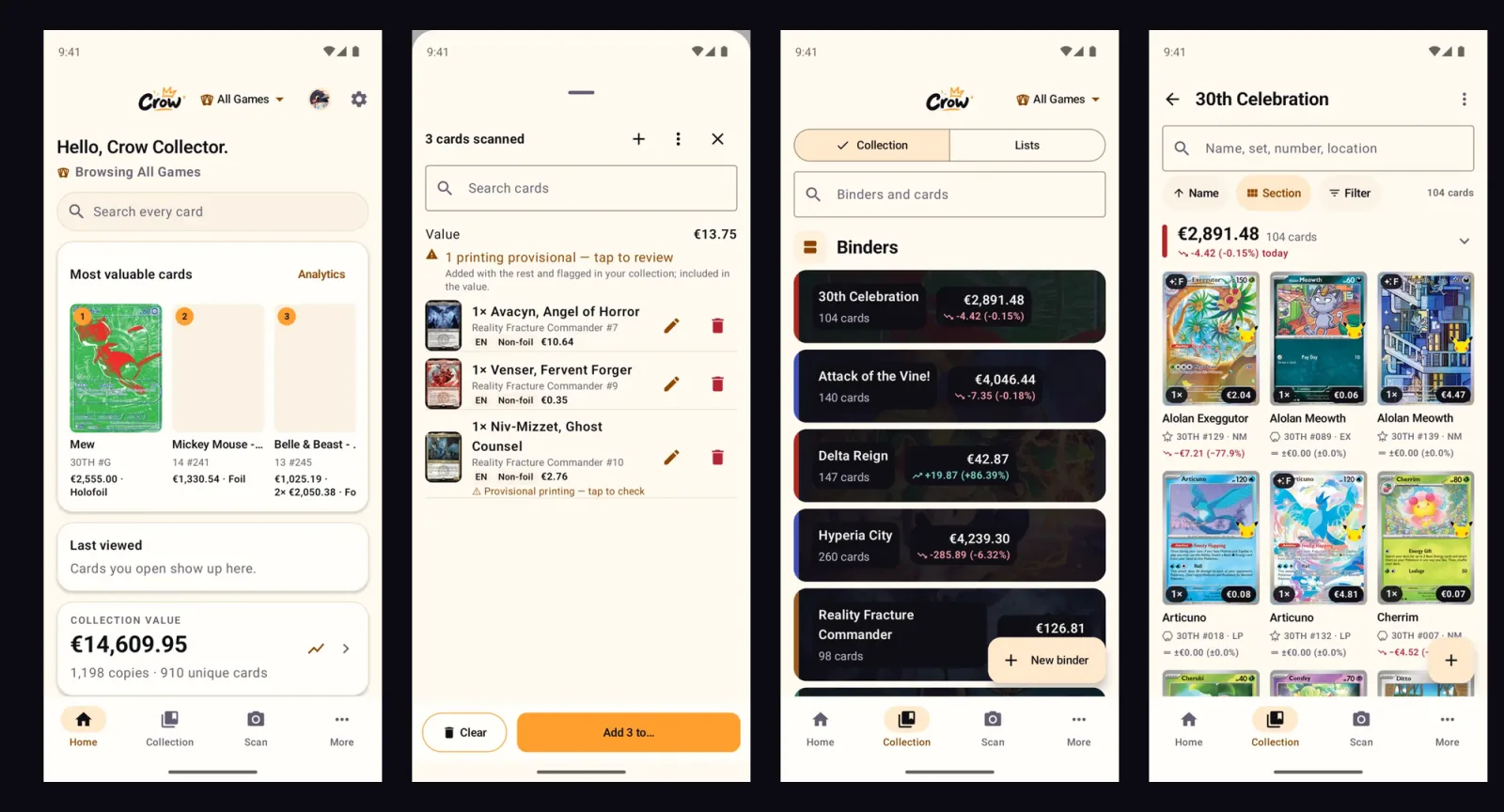
Home, a scan session, Collection and a binder on Android, in light mode. Real captures of the app.
iPad, keyboard first
On the iPad, the system sidebar is the only layout, and the keyboard gets the shortcuts it deserves:
| Shortcut | Action |
|---|---|
⌘1 to ⌘8 | Open the sidebar destinations in order (the open one again goes back to its first screen) |
⌘F | Find a card |
⌘, | Settings |
Esc | Close Card Viewer in a binder |
The dashboard, for work that wants a big screen
Some jobs are miserable on a phone. Bulk edits, analytics, decks, Crow and ManaBox CSV imports and exports, the bargain checker: all of that lives on the desktop dashboard, a React 19 app. Overview shows the collection value, the card, set and binder totals and the most valuable cards on a shelf.
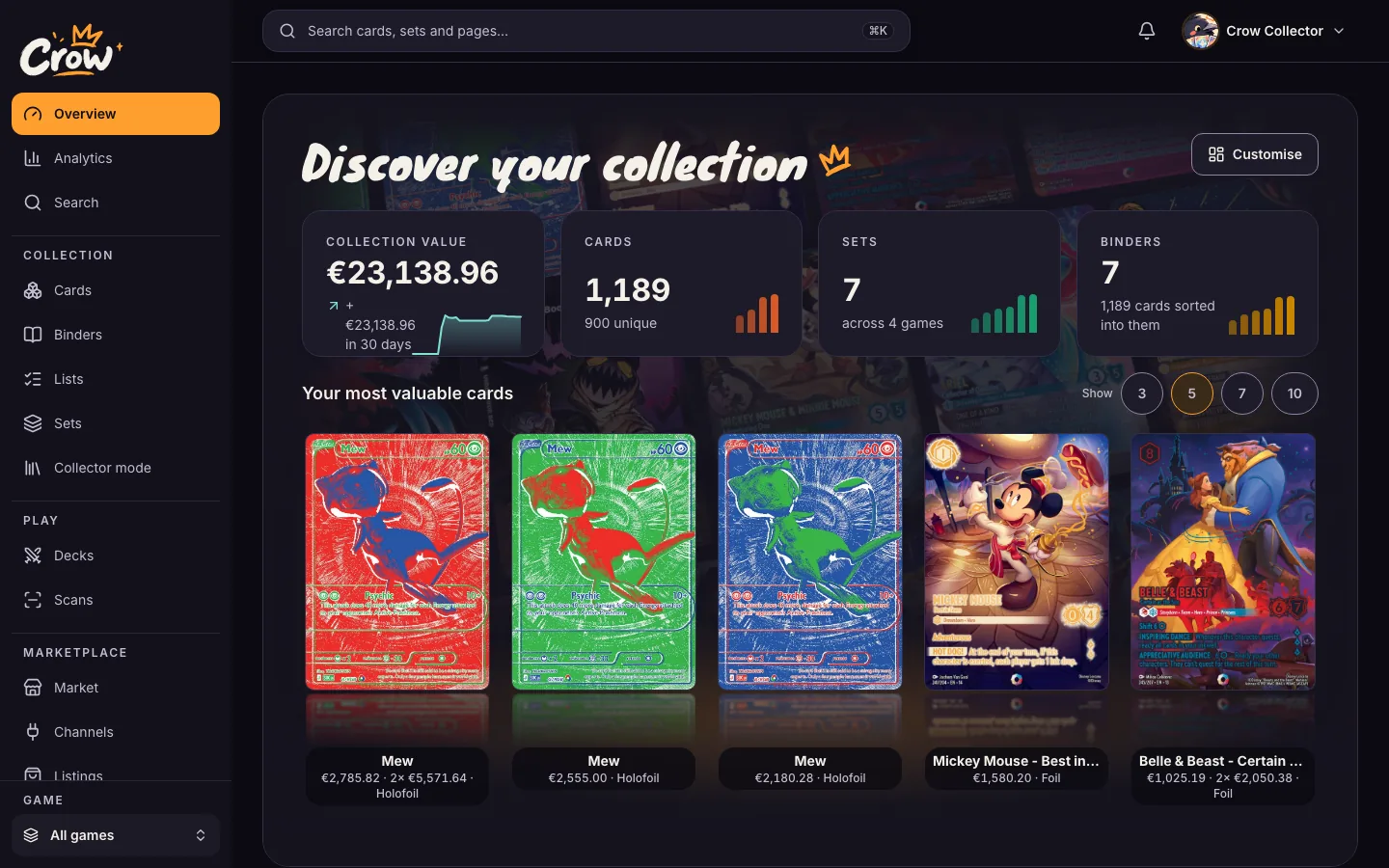
My favorite dashboard feature is ⌘K: it jumps to any page, set (by name or code) or card.
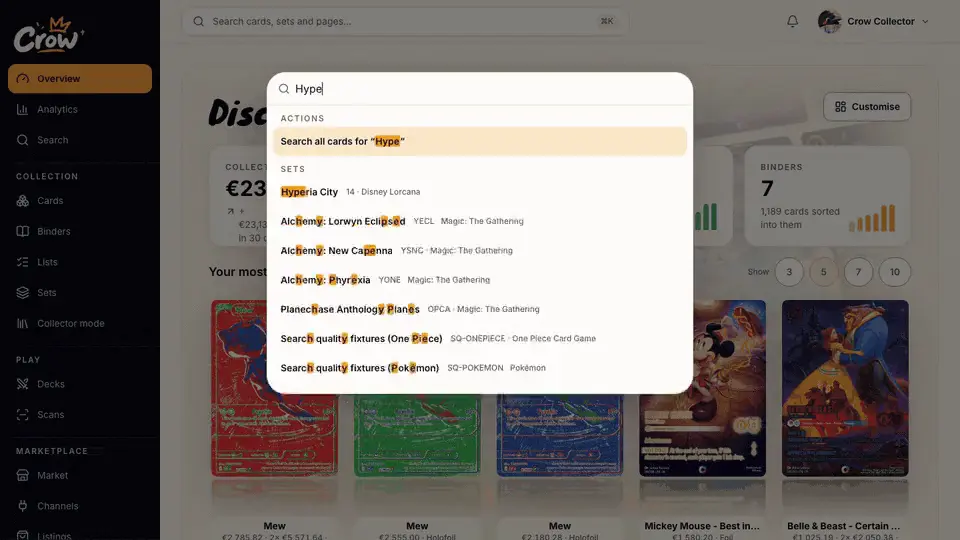
⌘K in action. Click to play the clip.
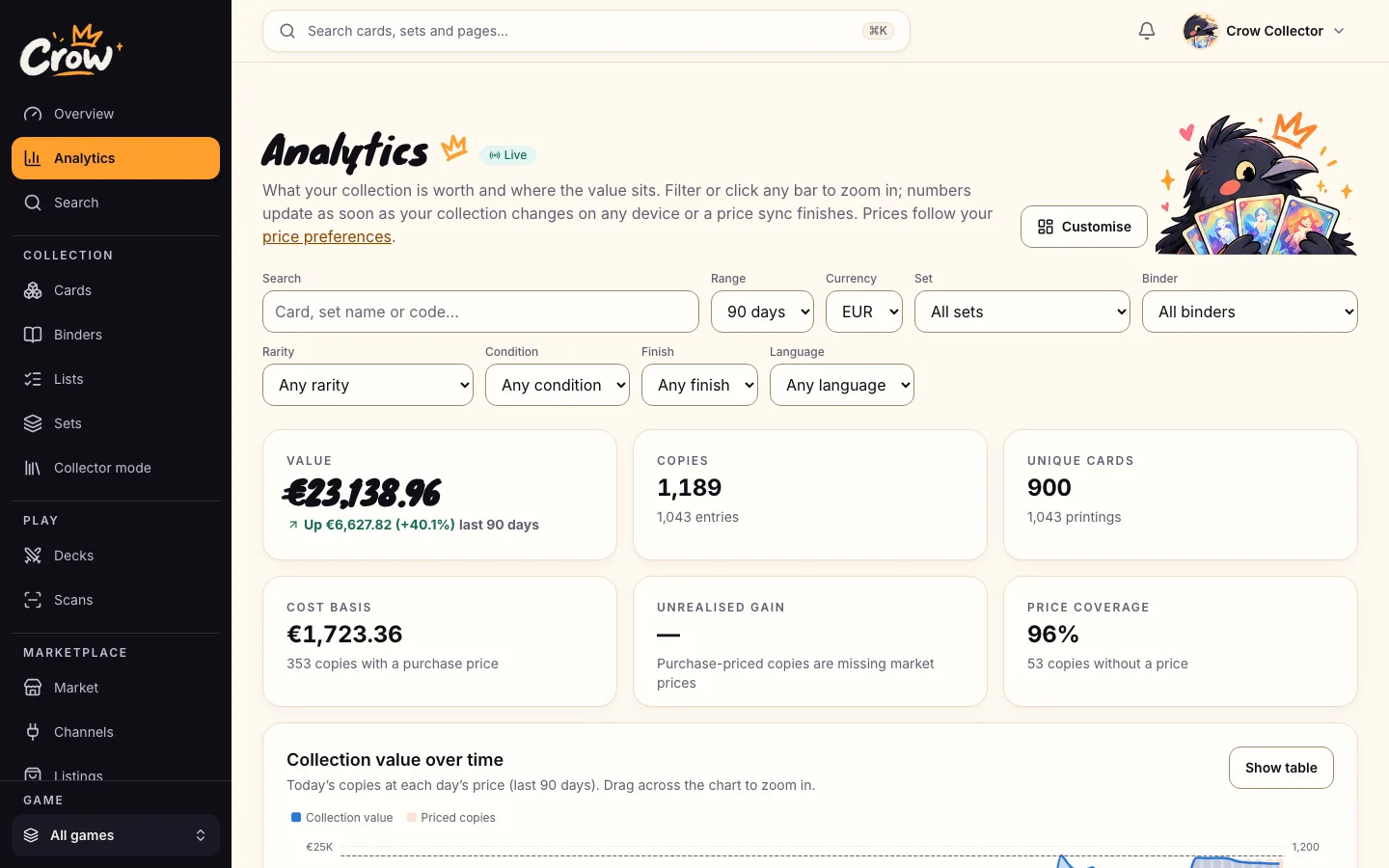
Analytics, and Settings › Themes, where a theme applies to the whole page at once. Real captures of the dashboard.
Selling, but simulated
From the dashboard you can list a copy on eBay, Cardmarket and CardTrader. packages/marketplace-core defines the provider contract, SKUs, sync plans and reconciliation, and each marketplace has its own adapter.
Read the label. The channels run in simulation mode, so nothing reaches a real marketplace. The CardTrader adapter runs as a dry run only. Every sale you see below is simulated.
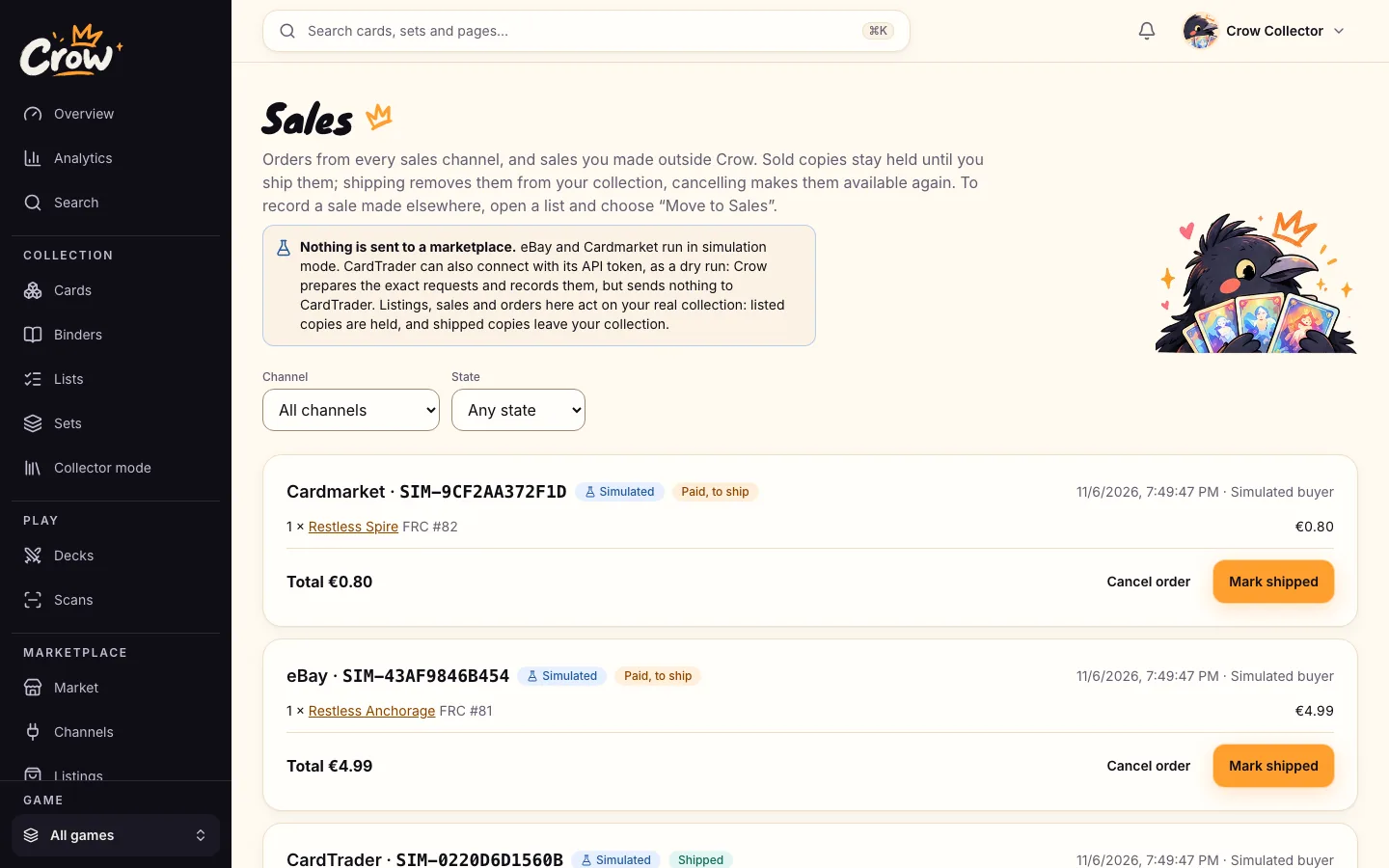
Sales on simulated channels. Nothing here reached a real marketplace.
Crow Control: my CI lives on localhost
GitHub Actions runs nothing in this repository; that's a recorded decision (ADR 0063). The quality gates run on my machine instead, through Crow Control, a localhost runner whose dashboard is laid out like GitHub Actions. It runs pnpm verify, the e2e journeys and the device suites, and it also shows the local stack, E2E evidence per feature, releases and a system map drawn from the code.
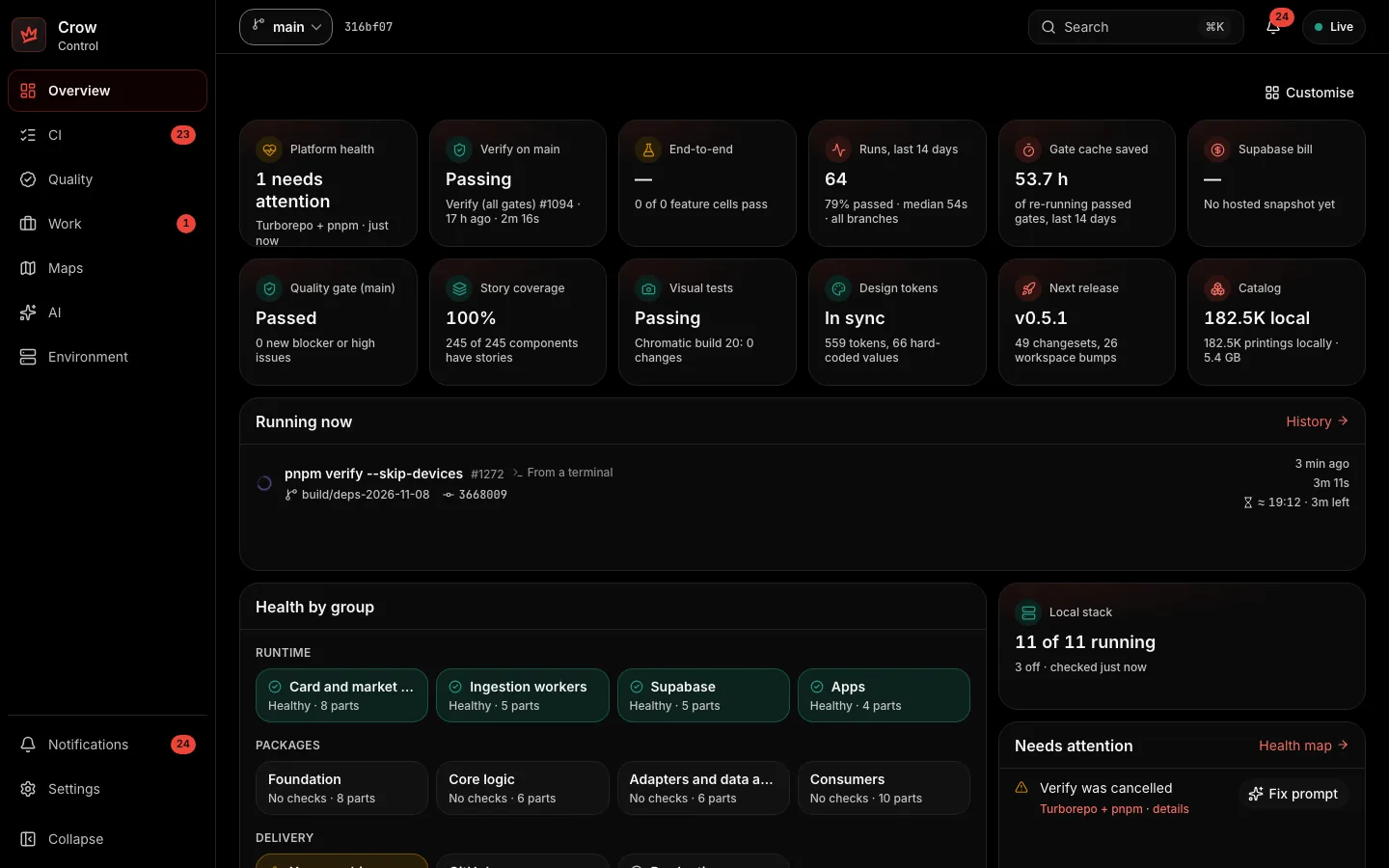
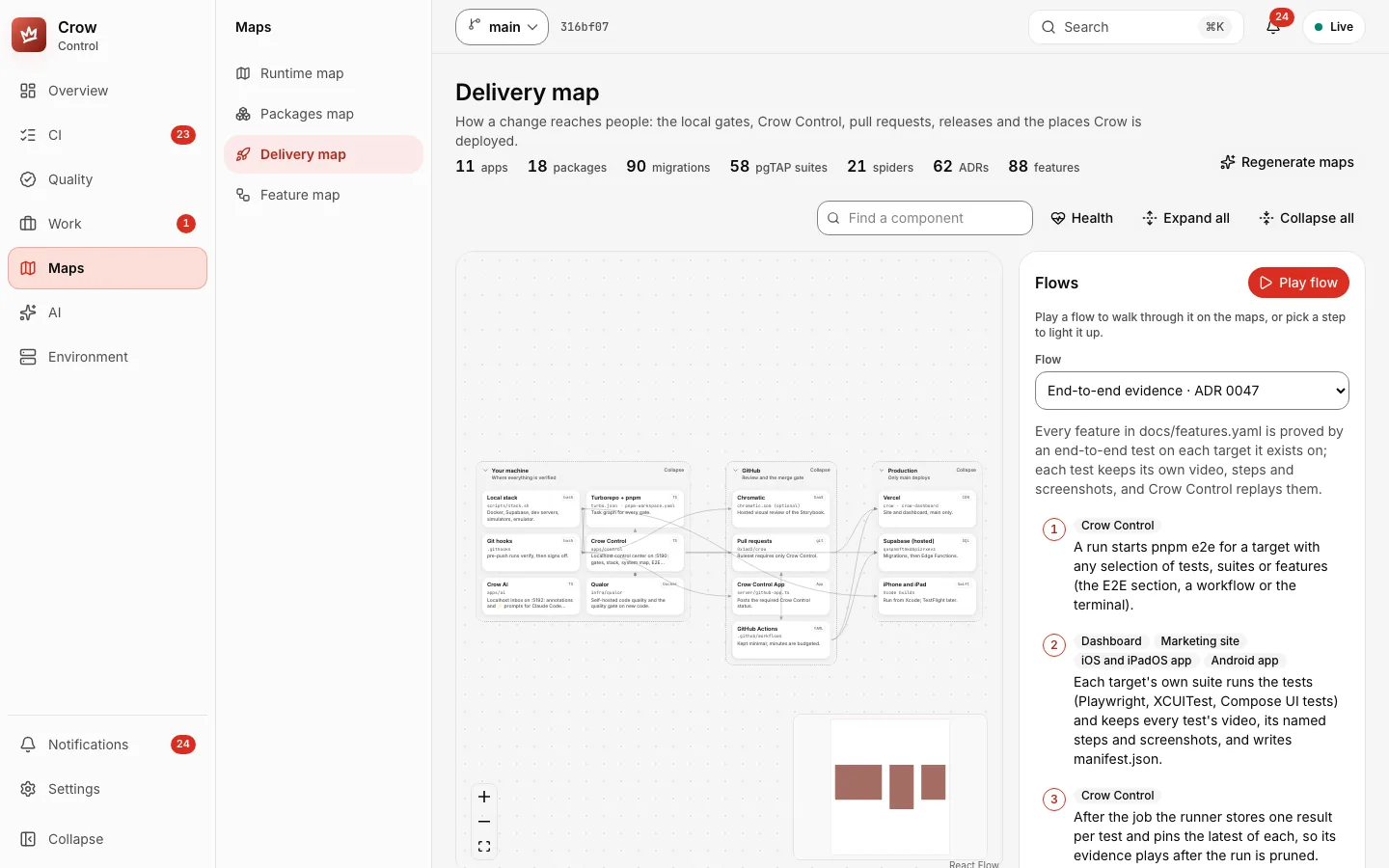
Crow Control: the overview, a verify run following live, and the Delivery map from the system map.
Crow Control's cache core is written in Rust (crates/control-cache): an incremental BLAKE3 file index, cache keys and a zstd content-addressed store. A TypeScript twin, packages/control-cache-ts, keeps the same index, keys and store as a benchmark baseline and a fallback engine.
The day-to-day loop looks like this:
pnpm check             # format, knip, docs, lint, typecheck, unit tests, build: before every commit
pnpm verify            # the gates the branch needs, as the pre-push hook runs them
pnpm control           # Crow Control on 127.0.0.1:5190: run and watch the gates
pnpm e2e [targets]     # end-to-end journeys with video and steps
Peck and Crow AI: prompts, not API calls
This is where my agent-driven workflow shows up in the repo. Peck is a dev-only in-page annotator: you pick elements on a page, tag and comment them, and copy a Claude Code prompt that names their source files. Crow AI is the local hub for those annotations and a set of ready-made Claude Code prompts, with a crow-ai MCP server that Claude Code works from.
Neither one calls an AI service. They run on my machine and build prompts for Claude Code to read. The README puts it in three words: No AI API.
Under the hood
| Layer | What it runs on |
|---|---|
| iPhone and iPad | Swift 6 and SwiftUI, offline first with GRDB and SQLite FTS5, built with XcodeGen |
| Android | Kotlin and Jetpack Compose (Material 3) |
| Dashboard, site, Crow Control | React 19, Vite 8, TanStack Router, Tailwind CSS 4, TypeScript |
| Back-end | Supabase: Postgres 17 migrations with row-level security, pgTAP tests, seeds and Deno Edge Functions |
| Catalog | Python and Scrapy crawler, plus crow-cli for set backfills, card and price syncs and catalog health |
| Native cores | Rust: crow-image-core for the crawler's images and fingerprints, control-cache for Crow Control |
| Contracts | Zod schemas in @crow/types, the contract between every app, and pure collection logic in @crow/domain |
| Design | DTCG tokens built by Style Dictionary for the web, iOS and Android, one Storybook for every web component |
It's all one repository:
crow/
├── apps/ios/          SwiftUI app for iPhone and iPad (XcodeGen)
├── apps/android/      Kotlin and Compose port
├── apps/dashboard/    React desktop companion
├── apps/site/         marketing website
├── apps/back-end/     Supabase migrations, pgTAP tests, seeds, Edge Functions
├── apps/crawler/      Scrapy catalog crawler
├── apps/cli/          crow-cli catalog operations
├── apps/control/      Crow Control
├── apps/ai/           Crow AI and the crow-ai MCP server
├── apps/storybook/    the component catalog
├── apps/video/        Remotion feature videos
├── packages/          shared TypeScript: types, domain, api-client, ui, tokens, marketplace adapters…
├── crates/            Rust: crow-image-core, control-cache
├── design/            brand art and the caw sound pack
└── docs/              architecture, ADRs, runbooks and the README media
Every workspace carries its own SemVer version. Changesets name what moves, Conventional Commits decide the product version, and the iOS and Android apps follow it.
Bringing the whole stack up
Crow builds from source on a Mac. The toolbox is long (Node 24, pnpm, Docker Desktop, the Supabase CLI, Deno 2, uv, Rust, Xcode 27 or newer, and JDK 21 plus the Android SDK 37 for Android), but pnpm stack:up does most of the heavy lifting:
brew bundle                        # the Homebrew tools (Brewfile)
proto trust .. && proto install    # the pinned Node, Supabase CLI, Rust and pnpm
pnpm install
pnpm stack:up                      # Docker, Supabase and migrations, test accounts, Crow Control and Crow AI,
                                   # dashboard and site, simulators, then stack:doctor
pnpm ingest all --starter          # crawl the starter sets of every game, with images
pnpm stack:doctor                  # is the stack a working test bed? every check, with its fix
stack:up takes flags to leave pieces out, such as --no-ios, --no-android and --no-site. A device test builds the Release configuration and points it at the local stack over the LAN.
Privacy, briefly
- Your collection lives on your device and your Supabase. The phones keep it in a local database and sync it with the Supabase project the build points at, which in v1.0.0 is the local stack.
- Camera frames stay on the device. They're never stored or sent.
- Error reporting in production builds only. Sentry is off in local and test builds, including the device-test Release build.
- Selling sends nothing. The channels are simulated, and CardTrader is a dry run.
- The crawler fetches public card data from the catalog sources listed in the repo. The bargain checker contacts CardTrader and the shops it compares only when you press Fetch new bargains.
What's not there yet
Crow is at v1.0.0, released on 2026-11-13. The README is honest about the gaps, so here they are:
- Selling is simulated. Nothing is sent to CardTrader, eBay or Cardmarket. Selling, account backups, the bargain checker, catalog management and Admin are on the dashboard only.
- v1.0.0 runs on the local stack. The hosted project holds a smaller catalog and is behind on migrations until it goes live.
- No store release yet. There's no TestFlight or Play Store build. The archive script and the App Bundle exist; uploading waits for the store accounts.
- Deck validation covers four games. Yu-Gi-Oh! decks aren't checked yet, and Play has no formats for One Piece or Yu-Gi-Oh!.
- No currency conversion. A card priced only in the other currency shows no value, and a variant copy is valued at its printing's price.
- Play history stays on the device. Finished games don't sync, and removing the app loses them.
- Sign in with Apple isn't built. Sign in with an e-mail and password or a magic link.
- iOS 27 and Android 13 (API 33) or newer only.
And what's next on the roadmap:
- TestFlight distribution of the tagged release.
- Hosted catalog parity: the 2020+ catalog the local stack has, with the daily price sync the local worker already runs.
- The deck library on the hosted project.
- CardTrader go-live: work through its go-live checklist and switch the channel from dry run to live.
- Real-phone checks on Android: scanner timings and a ManaBox side-by-side on a real Android 13 phone.
- A worktree for main runs, so Crow Control runs the full chain on
mainwithout touching the checkout I work in.
Crow isn't affiliated with, endorsed, sponsored or approved by any of the publishers behind these games. The game names, card images and card text belong to their owners.
Crow has its own card on the projects page, with the demo loop, the explainer and the stack at a glance.
Curious about the source? It's private, but access can be granted to anyone interested in contributing. Get in touch.