🏗️ How I build my website
0x1ad2.dev is my personal site and technical blog. Every visit picks a new accent hue, the hero runs a WebGL CRT warp, and posts can embed runnable three.js demos and sandboxed HTML playgrounds next to their source, all prerendered for search.
By Dennis Bruijn · · 15 min read · #projects #sites #react #vite #threejs #typescript #blogging

This site is a small React application that I treat like a client project. It has a component library, a content pipeline, tests in two runners and a quality gate that runs before every push. It also has more animation than any client would sign off on: a shader in the hero, a letter you can pull out of my name, neon tubes, confetti. This post walks through how it all fits together, and the article you're reading is part of the machine, so a few of its sections are live.
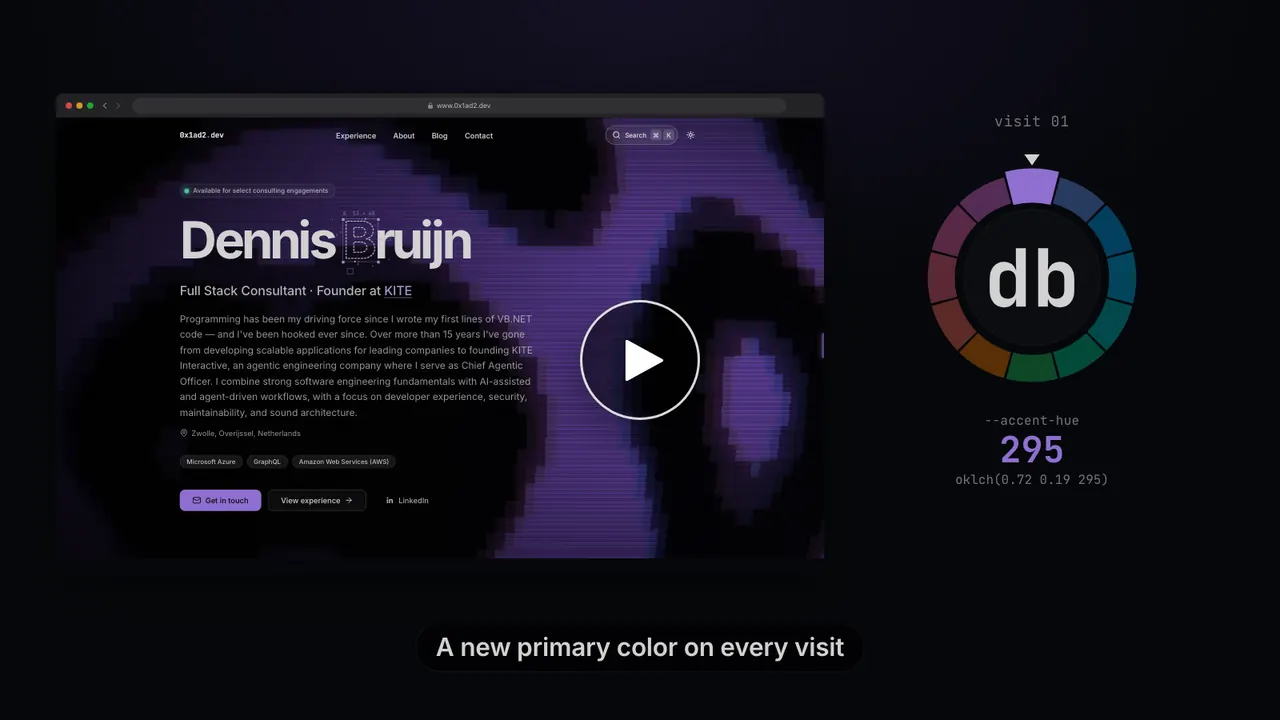
The images and video in this post are mockups rebuilt from the site's source with Montage, not screen recordings. To see the real thing, reload this page.
Everything below describes the code in the repository today. When something is a trade-off rather than a win, I say so.
Under the hood
| Layer | Choice |
|---|---|
| UI | React 19 and TypeScript |
| Build | Vite, with Tailwind CSS v4 through its Vite plugin |
| Routing | React Router with lazy route modules |
| Components | shadcn/ui primitives, plus effects from Magic UI and React Bits |
| Motion | motion for springs and layout animation, CSS for the rest |
| Graphics | three.js for the hero and the demos in this post, ogl for the Waves hero and two header bands, vgpu for one WebGPU header band |
| Quality | Oxlint, Vitest with Testing Library, Playwright, and a local gate that runs them all |
| Hosting | Vercel, with per-route HTML written at build time |
The components live in the repository rather than in a package. shadcn/ui and the React Bits registry both work that way: npx shadcn add copies the source into src/components/ui, and from then on it's my code to read, trim and test. The effects sidebar's Jelly Radio came from the React Bits registry the same way.
There's no backend and there are no forms. The whole site is static, and contact is a mailto: link plus a few outbound links. Here's the path a post takes from my editor to your browser:
src/content/blog/*.md
  └─▶ Vite plugins           blog-meta.ts exposes metadata, vite.config.ts validates every post
        └─▶ React SPA        React 19, React Router 8, lazy routes
              └─▶ build/seo.ts   per-route HTML, sitemap.xml, feed.xml, llms.txt
                    └─▶ dist/    served by Vercel with clean URLs
A new hue on every visit
Reload the page and the accent changes. Buttons, links, focus rings, the reading-progress bar, the hero background, the demo colours below, the confetti and even the favicon all follow it. Everything themed derives from one CSS variable, --accent-hue, an OKLCH hue angle:
:root {
  --accent-hue: 295;
  --primary: oklch(0.65 0.2 var(--accent-hue));
  --highlight: oklch(0.78 0.14 calc(var(--accent-hue) + 40));
  --ring: oklch(0.65 0.2 var(--accent-hue));
}
A tiny inline script in index.html picks one of 12 hues before the first paint, so there's no flash of purple. It also remembers the tab's last hue in sessionStorage and never picks it twice in a row:
const hues = [295, 265, 245, 220, 195, 170, 150, 55, 30, 10, 350, 330]
let previous
try { previous = Number(sessionStorage.getItem("accent-hue")) } catch {}
const choices = hues.filter((hue) => hue !== previous)
const hue = choices[Math.floor(Math.random() * choices.length)]
document.documentElement.style.setProperty("--accent-hue", String(hue))
try { sessionStorage.setItem("accent-hue", String(hue)) } catch {}
Hue roulette, as a mockup: six visits, six accents.
OKLCH keeps lightness perceptually even, so a blue primary looks as bright as an orange one and text contrast barely moves between hues. Don't take my word for it. Here's the same picker, the same 12 hues and the same --primary formula. Press Run, then spin it a few times:
<style>
  body { background: #07090d; color: #e5e7eb; font: 14px system-ui, sans-serif; margin: 0; padding: 1.25rem; }
  .wheel { display: flex; gap: .4rem; flex-wrap: wrap; margin-bottom: 1rem; }
  .slice { width: 1.6rem; height: 1.6rem; border-radius: 50%; opacity: .35; transition: transform .2s, opacity .2s; }
  .slice.on { opacity: 1; transform: scale(1.25); box-shadow: 0 0 0 2px #07090d, 0 0 0 4px #fff; }
  button { font: inherit; color: #07090d; border: 0; border-radius: .5rem; padding: .5rem 1rem; cursor: pointer; }
  code { font: 13px ui-monospace, monospace; }
  .muted { color: #9ca3af; }
</style>
<div class="wheel" id="wheel"></div>
<button id="spin">Reload the visit</button>
<p><code id="out"></code></p>
<p class="muted" id="history"></p>
<script>
  const hues = [295, 265, 245, 220, 195, 170, 150, 55, 30, 10, 350, 330]
  const primary = (h) => `oklch(0.65 0.2 ${h})`
  const wheel = document.getElementById("wheel")
  const slices = hues.map((h) => {
    const s = document.createElement("span")
    s.className = "slice"
    s.style.background = primary(h)
    wheel.append(s)
    return s
  })
  // The playground's sandbox blocks sessionStorage, so a variable stands in for it.
  let previous
  const seen = []
  function visit() {
    const choices = hues.filter((h) => h !== previous)
    const hue = choices[Math.floor(Math.random() * choices.length)]
    previous = hue
    slices.forEach((s, i) => s.classList.toggle("on", hues[i] === hue))
    document.getElementById("spin").style.background = primary(hue)
    document.getElementById("out").textContent = `--accent-hue: ${hue}; --primary: ${primary(hue)}`
    seen.push(hue)
    document.getElementById("history").textContent = "Visits so far: " + seen.join(" → ")
  }
  document.getElementById("spin").addEventListener("click", visit)
  visit()
</script>
CSS can't feed a three.js material or canvas-confetti, so src/lib/accent.ts reads the hue back and converts OKLCH to hex in about fifteen lines. That's how the hero, the demos, the confetti and the favicon get their colours.
A hero you can grab
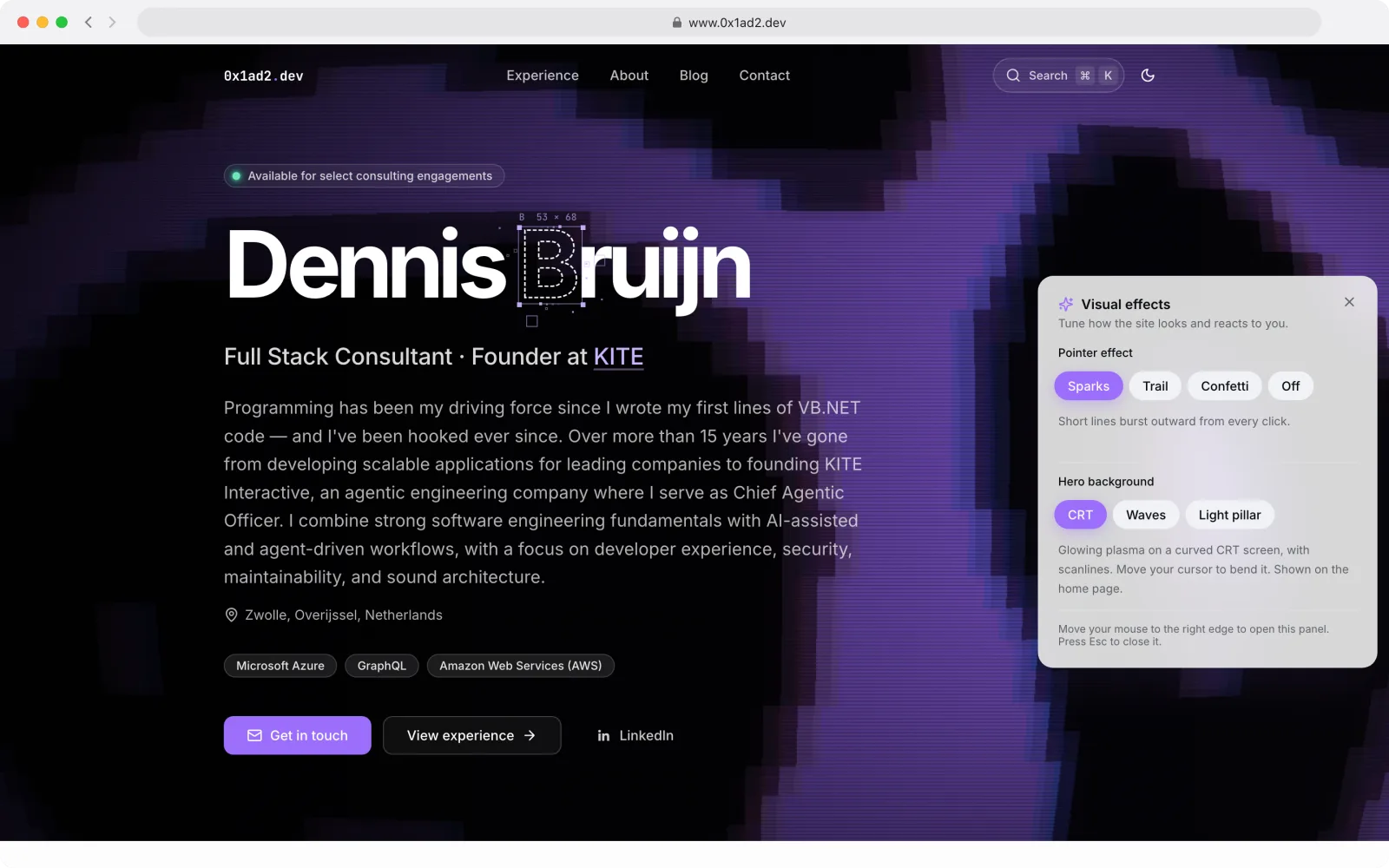
The home page hero runs React Bits' CRT Warp by default: blocky plasma on a curved CRT screen with scanlines, bloom and a slight RGB split, all in one three.js fragment shader. Moving your cursor bends the screen. I dimmed it from its defaults so the name and copy stay readable on top. Two alternatives live in the effects sidebar described below: Waves, a halftone surface of dots rendered with the small ogl library, and Light pillar, a raymarched column of light in three.js. All of them take the visit's hue.
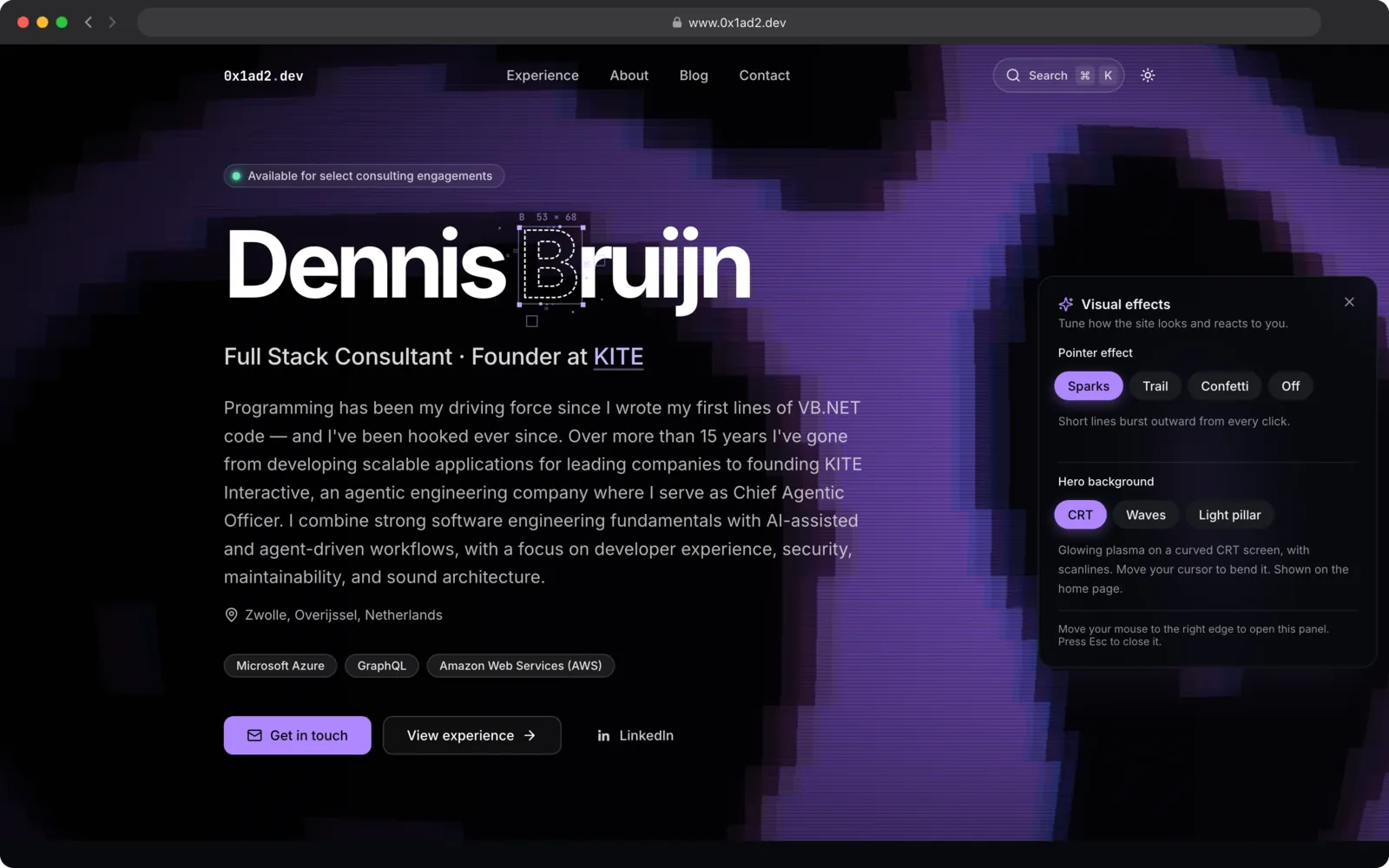
The name on top is React Bits' Tech Text. A sweep outlines each letter with a measurement frame, like a design tool showing you its bounding boxes. And you can grab a letter, drag it out of my name and let go: it springs back. The heading text stays in the DOM, so assistive tech reads my name, not a pile of letters.
Tech Text, as a mockup: pull a letter, watch it come home.
The backgrounds are the heaviest things on the site, so they come with three guardrails:
- They're optional. The component is lazy-loaded and only rendered when
supportsWebGL()can create a WebGL2 context. - They can't take the page down. They sit inside a
BackgroundBoundary, an error boundary that renders nothing if the canvas throws. A missing GPU feature leaves a readable page. - They stop when nobody can see them. A small hook pauses the frame loop off-screen and in background tabs.
// Keep mounted GPU resources, but stop requesting frames outside the viewport.
export function useAnimationActive(ref: RefObject<HTMLElement | null>) {
  const [active, setActive] = useState(true)

  useEffect(() => {
    let inView = true
    const update = () => setActive(inView && document.visibilityState !== "hidden")
    const observer = typeof IntersectionObserver === "undefined" ? undefined : new IntersectionObserver(
      ([entry]) => {
        inView = entry.isIntersecting
        update()
      }
    )
    if (ref.current) observer?.observe(ref.current)
    document.addEventListener("visibilitychange", update)
    update()
    return () => {
      observer?.disconnect()
      document.removeEventListener("visibilitychange", update)
    }
  }, [ref])

  return active
}
That same hook drives the neon progress bar and every three.js demo further down this page. With reduced motion turned on, the hero renders one still frame and never starts its loop.
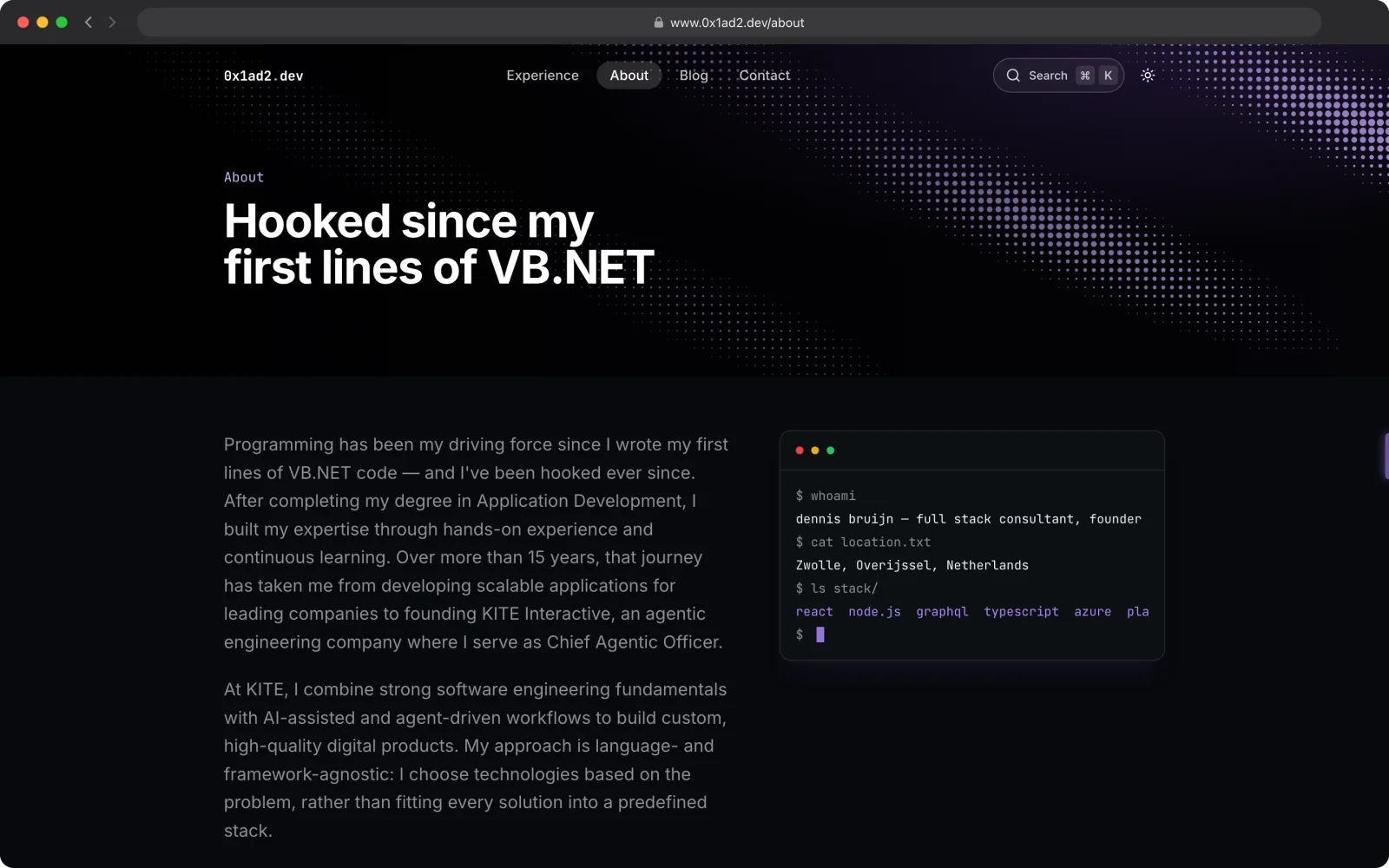
The other pages get their own dark header bands in the same spirit: Micro Slats and Pattern Waves in WebGL through ogl on Experience and About, and Shape Waves in WebGPU through vgpu on the Blog. They take the accent colour too.
Pages, routes and lazy loading
The home page loads with the main bundle so the first visit paints quickly. Every other page is a lazy route, so its code downloads only when someone navigates there:
{
  path: "blog/:slug",
  lazy: async () => ({ Component: (await import("@/pages/BlogPostPage")).BlogPostPage }),
},
Each route group also has an errorElement. If a chunk fails to load (a flaky connection or a deploy mid-visit), the header and footer stay on screen and the reader gets a way back instead of a blank page. A Playwright test blocks the About page chunk on purpose to prove that.
A glowing status dot
The availability pill in the hero is deliberately plain: a soft border, small text and a green dot with a CSS ping. The only flourish is on the dot itself, which glows like a tiny LED. That's three stacked shadows on one element, a tight bright core and two wider, fainter halos:
<span className="relative flex size-2">
  <span className="absolute inline-flex h-full w-full animate-ping rounded-full bg-emerald-400 opacity-75 motion-reduce:animate-none" />
  <span className="relative inline-flex size-2 rounded-full bg-emerald-300 shadow-[0_0_4px_#6ee7b7,0_0_10px_#10b981,0_0_18px_#10b98199]" />
</span>
The glow is static, so it costs nothing per frame. With reduced motion turned on, the ping stops and the dot keeps glowing.
Try the same trick here. Change the shadow sizes or colours and press Run:
<style>
  body { background: #07060b; display: grid; place-items: center; min-height: 10rem; }
  .pill {
    display: inline-flex; align-items: center; gap: .5rem;
    padding: .25rem .75rem .25rem .5rem;
    border: 1px solid rgb(255 255 255 / .15); border-radius: 999px;
    background: rgb(255 255 255 / .05);
    color: rgb(255 255 255 / .8); font: 500 .75rem system-ui, sans-serif;
  }
  .dot {
    width: .5rem; height: .5rem; border-radius: 50%;
    background: #6ee7b7;
    box-shadow: 0 0 4px #6ee7b7, 0 0 10px #10b981, 0 0 18px #10b98199;
  }
</style>
<span class="pill"><span class="dot"></span>Available for select consulting engagements</span>
A neon reading-progress bar
The thin bar at the very top of the window fills as you scroll and reaches the right edge at the bottom of the page. Look up: it's there right now. It's a neon tube: when you start scrolling from the top, it strikes with a flicker, then hums gently while it's lit. The behaviour and prop names follow React Bits Pro's Neon Reveal. My version in src/components/ui/neon-reveal.tsx uses the Web Animations API rather than a canvas.
The tube itself doesn't know about scrolling. A wrapper sets its width from motion's scroll progress and asks it to strike again each time the page leaves the top:
const { scrollYProgress } = useScroll()
const width = useTransform(scrollYProgress, (value) => `${value * 100}%`)

useMotionValueEvent(scrollYProgress, "change", (value) => {
  if (value > 0 && !lit.current) {
    lit.current = true
    neon.current?.replay()
  } else if (value === 0) {
    lit.current = false
  }
})
Animating width instead of scaleX keeps the glow's rounded ends from being squashed while the bar is short. Every ignition animation uses a backwards fill, so nothing lingers on the element once it finishes. With reduced motion on, the bar still tracks your position but never flickers.
An effects sidebar at the edge of the screen
Move your mouse to the right edge of the window and a panel slides in. It lets you pick the pointer effect for the whole site: Sparks on click (the default), a neon Trail behind the cursor, a small burst of Confetti, or Off. It also has a hidden extra: a second choice that switches the home page hero between CRT, Waves and Light pillar. Both choices are React Bits Jelly Radios. The pointer effect is saved in localStorage, so it survives future visits. The hero choice lasts only for the tab's session, so every new visit starts with the CRT.
The edge detection is a single passive pointermove listener. The pointer has to stay in the last 12 pixels for 120 ms before the panel opens, so a quick trip to the scrollbar doesn't trigger it. Moving well to the left closes it again:
const onPointerMove = (event: PointerEvent) => {
  if (event.pointerType === "touch") return
  if (modeRef.current === null) {
    const nearEdge = event.clientX >= document.documentElement.clientWidth - EDGE_ZONE
    if (nearEdge && event.buttons === 0) dwell ??= setTimeout(() => setMode("hover"), EDGE_DWELL)
    else clearDwell()
  } else if (modeRef.current === "hover" && panelRef.current) {
    if (event.clientX < panelRef.current.getBoundingClientRect().left - LEAVE_DISTANCE) setMode(null)
  }
}
Hover-only features exclude touch and keyboard users, so a slim handle on the edge opens the same panel with a tap or Enter, and focus moves to the selected option. While closed, the panel is inert, so it never traps Tab. Each effect only runs a frame loop while something is moving. With reduced motion on, the choices are disabled and the panel explains why.
A command palette for everything
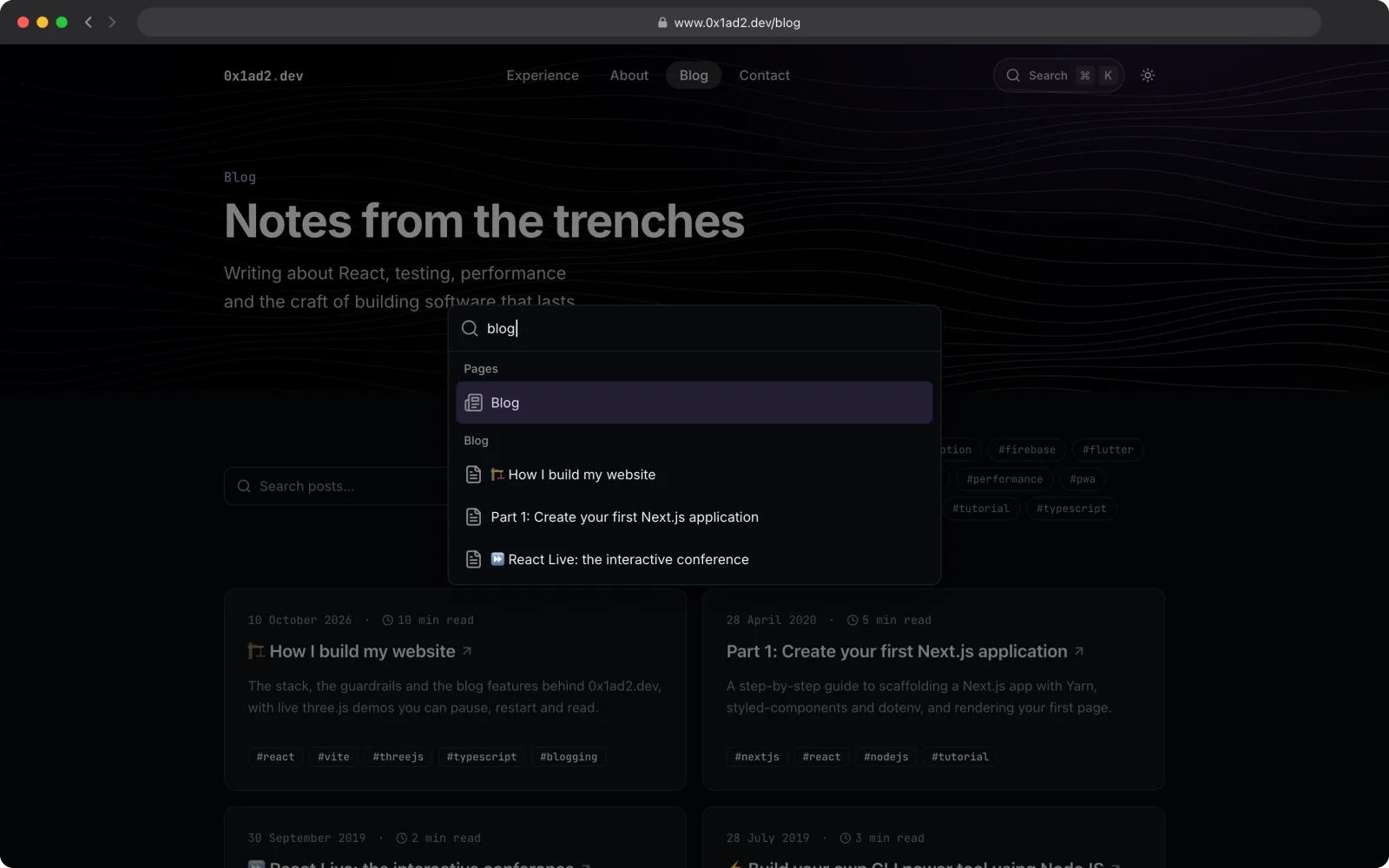
Press <kbd>⌘K</kbd>, <kbd>Ctrl</kbd>+<kbd>K</kbd> or just <kbd>/</kbd> on any page. Yes, right now. A palette opens over the page and searches pages, posts and experience roles as you type. It also toggles the theme, copies my email address and opens the LinkedIn, X and KITE links, so they're one keystroke away.
Posts are Markdown files
There's no CMS. A post is a Markdown file in src/content/blog, reviewed in a pull request like any other change. The filename becomes the slug:
---
title: "🏗️ How I build my website"
description: A concrete promise to the reader.
date: 2026-10-10
tags: [react, threejs]
draft: true
---

## Start with the problem
The frontmatter parser in src/lib/blog-content.ts supports a deliberate subset: one-line strings, inline lists and booleans. It's not YAML, and it doesn't pretend to be. Optional fields cover a social preview image and an originalUrl for articles first published on Medium. Drafts appear in development and are left out of production builds.
build/blog-meta.ts exposes each post's metadata as a module, and post bodies load only when a post is opened. A Vite plugin in vite.config.ts parses every post again, drafts included, during npm run build. A missing title, an impossible date such as 2026-02-30, or an embedded demo that doesn't exist fails the build rather than publishing a broken page.
The trade-off is honest: draft content is imported into client code, so drafts aren't secret. For a personal blog, a reviewed diff per post is worth it.
From Markdown to a reading page
react-markdown with remark-gfm renders the body, and the post page adds the reading furniture:
- Reading time counts prose only. Code blocks are stripped first, so a long snippet doesn't inflate the estimate.
- Table of contents. Every
##heading gets a slug id and a hover anchor. The sidebar list is React Bits' Line Sidebar: items near your cursor lean out and take the accent colour, and anIntersectionObserverlights up the section you're reading. I changed its items from click handlers to real links, so Tab, Enter and the URL hash all work, and keyboard focus lights an item the same way hover does. - Search and tags on the blog index live in URL parameters, so a filtered view is a shareable link. Search covers titles, descriptions and tags.
- Share copies the post URL and confirms with a toast, or explains when the clipboard is blocked.
- Reduced-motion notice. If your system asks for less motion, the post says which animations are paused and that the examples still work.
Code blocks you can copy and run
Each fenced block goes through one Pre component, which reads the fence's language and picks a renderer:
function Pre({ children }: { children?: ReactNode }) {
  const code = textOf(children).replace(/\n$/, "")
  const language = languageOf(children)

  if (language === "html-live") return <CodePlayground source={code} />
  if (language === THREE_DEMO_LANGUAGE) {
    return (
      <BackgroundBoundary fallback={<DemoMessage>This demo couldn't load. Reload the page to try again.</DemoMessage>}>
        <Suspense fallback={<DemoMessage>Loading demo…</DemoMessage>}>
          <ThreeDemo name={code.trim()} />
        </Suspense>
      </BackgroundBoundary>
    )
  }
  return <CodeBlock code={code} language={language} />
}
Plain blocks get line numbers, a deliberately tiny regex tokenizer for colour, and a copy button. It's not a real parser, but it covers the TypeScript, TSX and HTML I write about without bundling a highlighting engine.
html-live blocks, like the hue picker and the glowing dot above, become an editor next to a preview. The preview is an iframe with sandbox="allow-scripts" and a Content Security Policy of default-src 'none'. Scripts run, but they can't touch this page, its storage or the network.
That's a big claim, so here's a playground that tries to break out. Press Run and watch it fail three times:
<style>
  body { background: #07090d; color: #e5e7eb; font: 13px ui-monospace, monospace; margin: 0; padding: 1rem; }
  li { margin: .35rem 0; }
  .ok { color: #6ee7b7; }
  .no { color: #fca5a5; }
</style>
<ul id="log"></ul>
<script>
  const log = (label, ok, detail) => {
    const li = document.createElement("li")
    li.innerHTML = `<span class="${ok ? "ok" : "no"}">${ok ? "allowed" : "blocked"}</span> ${label}: ${detail}`
    document.getElementById("log").append(li)
  }
  try { localStorage.setItem("escape", "1"); log("localStorage", true, "wrote a key") }
  catch (error) { log("localStorage", false, error.name) }
  try { log("parent page", true, window.parent.document.title) }
  catch (error) { log("parent page", false, error.name) }
  fetch("https://www.0x1ad2.dev/feed.xml")
    .then(() => log("network", true, "fetched the feed"))
    .catch((error) => log("network", false, error.name))
  log("inline script", true, "you're reading its output")
</script>
Three.js demos inside a post
That sandbox is exactly why three.js demos need their own path. The iframe can't load modules, so a three-demo fence names a TypeScript file in src/components/blog/three-demos/ instead:
Here is the spinning cube:

~~~three-demo
spinning-cube
~~~
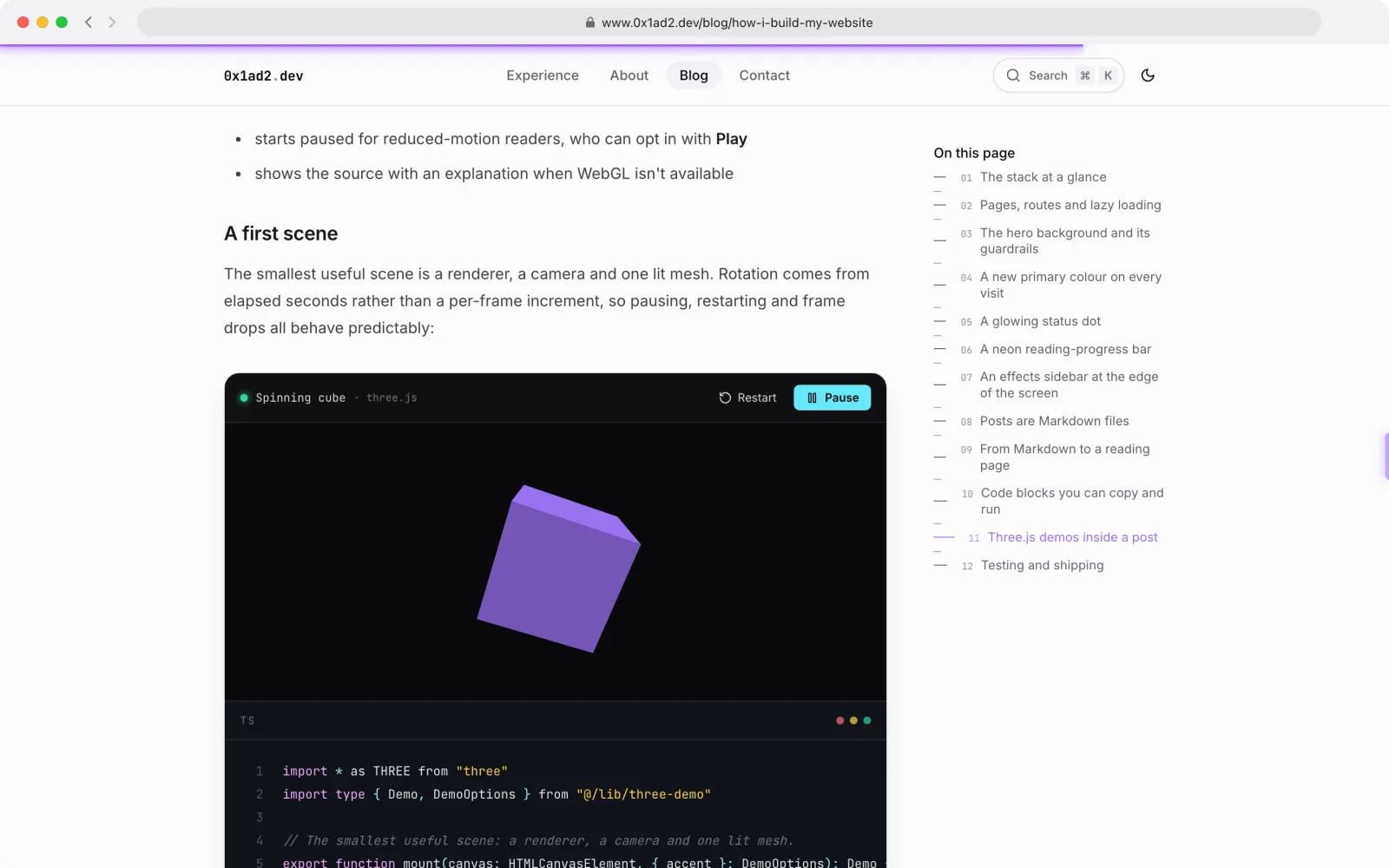
Every demo exports a mount(canvas, { accent }) function with the same small contract. accent is this visit's primary colour as hex. The demo owns its renderer and scene. The host owns everything around it:
export type Demo = {
  frame: (seconds: number) => void
  resize: (width: number, height: number) => void
  dispose: () => void
}

export type DemoOptions = { accent: string }
The host component loads the module and its raw source with two lazy import.meta.glob calls. The code under each demo is therefore the file that's running, not a copy that can drift. three.js itself only downloads when a post contains a demo. The host also:
- drives one
requestAnimationFrameloop that stops off-screen, in hidden tabs and when you press Pause - re-renders a still frame when the canvas resizes while paused
- calls
dispose()on unmount so geometries, materials and the renderer are released - starts paused for reduced-motion readers, who can opt in with Play
- shows the source with an explanation when WebGL isn't available
A first scene
The smallest useful scene is a renderer, a camera and one lit mesh. Rotation comes from elapsed seconds rather than a per-frame increment, so pausing, restarting and frame drops all behave predictably. Notice the colour: it's this visit's hue.
spinning-cube
Rewriting geometry every frame
Here, 3,136 points share one BufferAttribute. Each frame rewrites their heights in place and sets needsUpdate, which uploads the buffer once without allocating anything. Move your pointer over the canvas to move the ripple. The listener is removed in dispose, like every other resource:
pointer-ripples
Ordered dithering in a shader
The site's previous hero used an ordered-dither pass. This demo is the same idea in under 20 lines of GLSL. A moving gradient is quantised to four shades, and a 4×4 Bayer matrix decides which pixels round up, so it reads as a smooth ramp from a distance:
ordered-dither
To add a demo, drop a file that exports mount into the folder and reference it from a fence. The build checks that the name exists.
Prerendered for search, and for agents
A single-page app has an awkward secret: without JavaScript, every page is the same empty shell. So npm run build ends with a step in build/seo.ts that writes a real HTML file for every route (about.html, blog/<slug>.html and so on). Each one carries that page's title, description, canonical URL, Open Graph and X cards and JSON-LD, plus the page content as plain HTML for crawlers and AI agents that don't run JavaScript. Browsers hide that copy and React replaces it on start-up.
The same step writes the rest of the paperwork:
| File | For |
|---|---|
sitemap.xml, robots.txt | Search engines |
feed.xml | RSS readers |
llms.txt, llms-full.txt | Language models and the agents that use them |
404.html | A real not-found page that still boots the app |
Vercel serves the route files through cleanUrls, so /about gets about.html. vercel.json also sets long-lived caching for the hashed /assets/, a week for /images/, an hour for the feeds and text files, and a handful of security headers, including a Permissions-Policy that turns off the camera, microphone, geolocation and topics. To host it anywhere else, serve dist/ with .html extension fallback and 404.html for missing paths.
Light and dark
The theme follows your system until you pick one, and the same inline script that picks the hue sets the dark class before the first paint. The animated toggler reveals the new theme in a circle. Decorative motion respects reduced-motion settings everywhere.
Testing and the quality gate
Vitest runs unit and integration tests in jsdom: the frontmatter parser, date validation, routes, the SEO step and the playground. jsdom has no WebGL, so those tests check the fallbacks. Playwright runs the production build in three projects, Desktop Chrome, Desktop Safari (WebKit) and a Pixel 7 viewport. It covers navigation, blog search and tag filters, content, the playground and three.js demos, interactions, effects, theme, performance and resilience: every post renders its code blocks and anchors, the hero canvas pauses off-screen, a failed chunk keeps navigation alive, and the effects sidebar opens from the edge and remembers its choice.
GitHub Actions are disabled for this repository, so nothing is checked on GitHub. Instead, npm run verify runs every check on my own machine, and a pre-push hook won't let a commit leave without it:
npm run check    # Oxlint, Vitest, tsc -b and the production build, which validates every article
npm run verify   # check, plus Playwright in Chromium, WebKit and a mobile viewport
The gate is picky on purpose. It insists on the Node version in .nvmrc, reinstalls dependencies when the lockfile or toolchain changed, rejects .only in tests, and serves the build on a free port so it never reuses a stale preview server. A pass on a clean tree is recorded for that commit, so pushing it again doesn't rerun everything. After a verified push, the hook posts a Verify (local) commit status to GitHub. To be clear about what that means: my own machine ran the gate. It is not the same as independent CI.
Dependabot alerts are on, but Dependabot opens no update PRs. npm run deps:report gives a read-only overview of outdated packages, npm audit and open alerts, and upgrades go through one dependency PR that has to pass the same gate.
Privacy, briefly
- Analytics only on Vercel. Vercel Web Analytics and Speed Insights load only in Vercel builds, grouped by route pattern, so every post counts as
/blog/[slug]. - Preferences stay in your browser. Your theme and pointer effect live in
localStorage. The visit's hue and hero background live insessionStorageand reset when the tab closes. - Self-hosted fonts. Inter and JetBrains Mono are bundled, so no font CDN is contacted.
- Sandboxed playgrounds. As the escape attempt above showed, example code can't reach the network or this page's storage.
What's not there yet
The roadmap is a list of ideas the code points to, not commitments:
- Full-text blog search. Search covers titles, descriptions and tags today, not article bodies.
- More three.js demos. There are three today. Each new one is a single module with
mount(canvas, { accent }). - New writing. Most of the older articles are ports of my Medium posts from 2016 to 2020.
As for status: it's live at www.0x1ad2.dev, which is where you're reading this. Pushes to main go to production and pull requests get preview deployments.
That's the whole machine: a static React app, Markdown in the repository, and enough guardrails that the fun parts (neon tubes, shaders, confetti, a letter you can steal from my name) can't make the reading worse.
0x1ad2.dev has its own card on the projects page, with the demo loop, the explainer and the stack at a glance.
Curious about the source? It's private, but access can be granted to anyone interested in contributing. Get in touch.